Joomla is one of the most powerful, robust and feature-rich content management systems out there. Besides being open-source, Joomla is capable of some really stunning designs through the use of modules and built-in display customizations. Below, we present a list of 20 35 of the coolest, slickest, most eye-catching Joomla template designs.
Commercial Templates
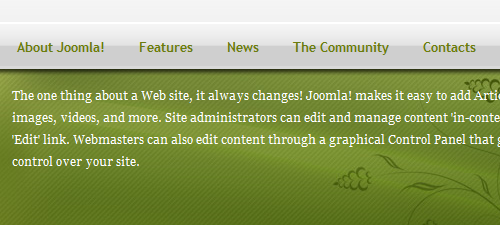
Mynxx | Demo | Support
This theme incorporates the popular Joomla ecommerce / shopping component, Virtuemart. This integration is applied in a variety of platforms, such as modules, a custom virtuemart theme and template coding. The custom Virtuemart theme allows us to override the core output, which results in a more seamless integrated with the Virtuemart shopping component.
Joomla is one of the most powerful, robust and feature-rich content management systems out there. Besides being open-source, Joomla is capable of some really stunning designs through the use of modules and built-in display customizations. Below, we present a list of 20 35 of the coolest, slickest, most eye-catching Joomla template designs.
Commercial Templates
Mynxx | Demo | Support
This theme incorporates the popular Joomla ecommerce / shopping component, Virtuemart. This integration is applied in a variety of platforms, such as modules, a custom virtuemart theme and template coding. The custom Virtuemart theme allows us to override the core output, which results in a more seamless integrated with the Virtuemart shopping component.
Akiraka | Demo | Website
One of RocketTheme’s finest templates. The fully transparent design gives you complete control over the color of the website.
Lightfast | Demo | Website
The definition of a light and fast template. Joomla is powerful, but it is also big. Because of all the possible features to take advantage of, templates are often bloated with tons of code. Lightfast is Joomlashack’s response to this problem. The entire file is only 13k and is SEO optimized right out of the box. Template costs $39.95.
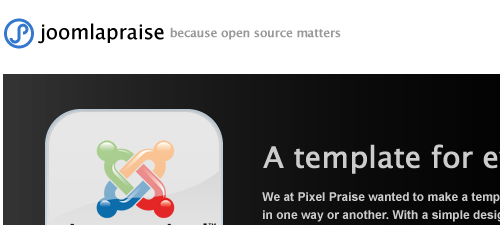
Simple Praise | Demo | Website
A very smooth rotating content module and lots of module positions makes this a very versatile Joomla template. Club membership costs $75 for 1 year.
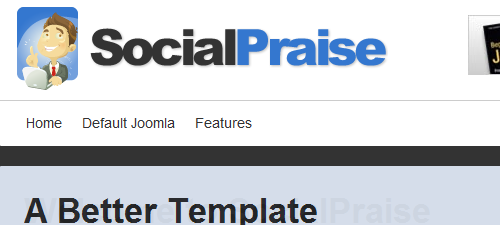
Social Praise | Demo | Website
SocialPraise is built for community collaboration. It is templates like this that really show what Joomla! can do as a content management system. SocialPraise integrates completely with the most popular Joomla community building components like Community Builder and Fireboard forum. Club membership costs $75 for 1 year.
NewsPro | Demo | Website
A sliding content module crams headlines into this easy to navigate template. The small body text and expansive menu suggests this template would work well as a magazine layout. Club membership costs $99 for 1 year.
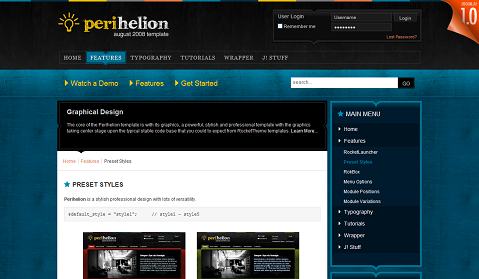
Periphelion | Demo | Website
One of the best grunge-themed templates for Joomla. Multiple color styles make this template incredibly versatile.
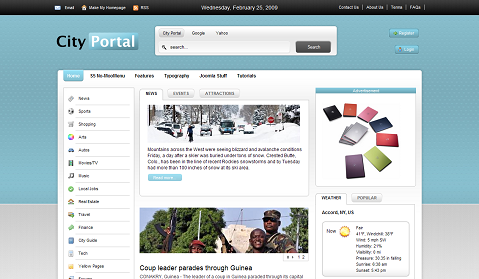
City Portal | Demo | Website
A clean, smooth template, perfect for a magazine or portal.
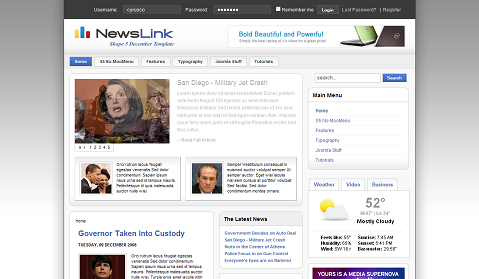
News Link | Demo | Website
As the name states, a great news template with built-in news rotator with tons of features.
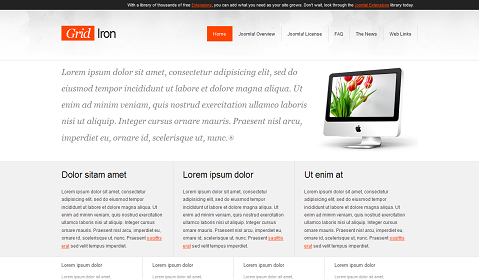
Gridiron| Demo | Website
A simple but elegant alternative to the clutter of a typical Joomla template.
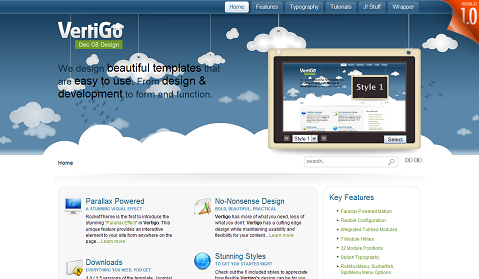
Vertigo | Demo | Website
A template with “Paralax Motion” built in. Check out the demo, because this template is about as cool as it gets.
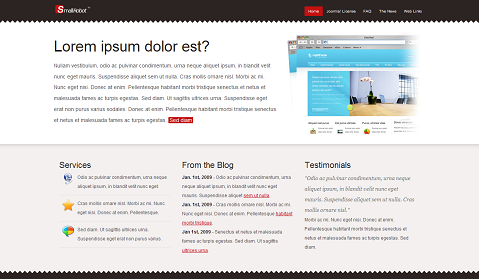
Small Robot| Demo | Website
Another simple design for websites with less informaiton to display on the front page.
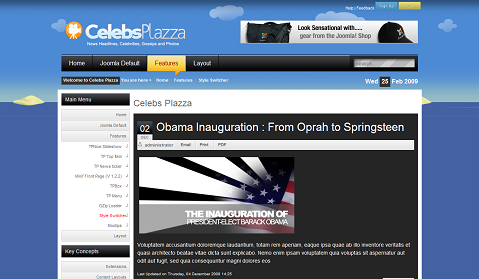
CelebsPlazza | Demo | Website
An eye-catching design with four styles built right in.
The News | Demo | Website
Another slick news template with a smooth image slideshow.
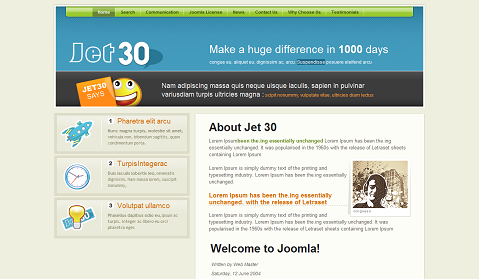
Jet30 | Demo | Website
A Web 2.0-style template for a blog or information portal.
Free Templates
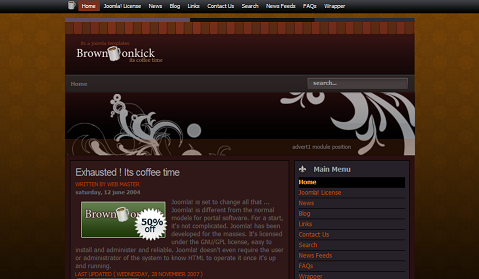
Brown Kick | Download | Demo | Website
A cool coffee-themed template with unobtrusive navigation and nice blog styling.
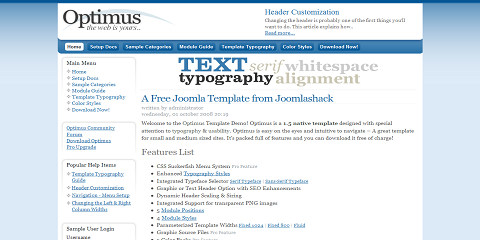
Optimus | Download | Demo | Website
A straightforward Joomla template that could work for almost any kind of website.
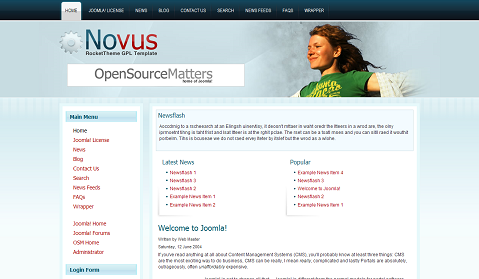
Novus | Download | Demo | Website
An incredibly versatile template, ready for complete customization.
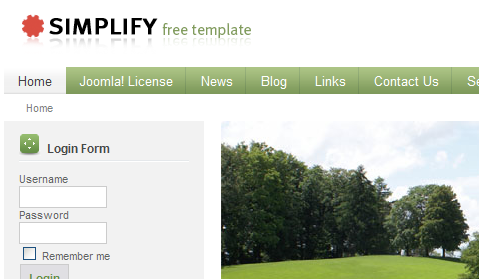
Simplify | Download | Demo | Website
Three color combinations and a block design make this template great for a professional presentation.
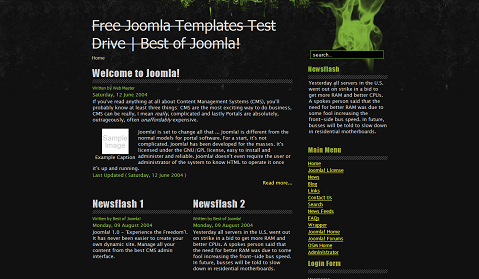
Contaminated | Download | Demo | Website
Another cool grunge theme with nice touches, like full typography options.
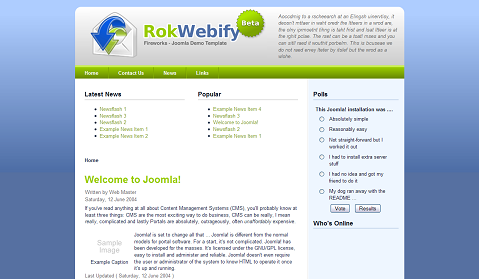
RokWebify | Download | Demo | Website
A Web 2.0 template with many color options and a simple interface.
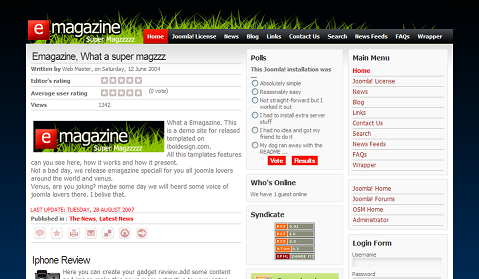
EMagazine | Download | Demo | Website
As the name suggests, a good magazine template without being too heavy on bandwidth-eating images.
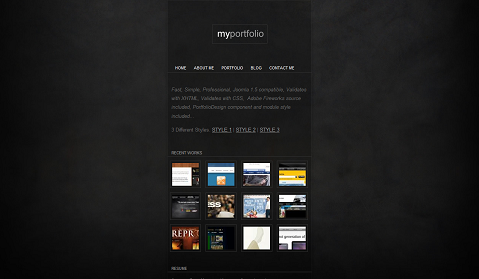
Portfolio | Download | Demo | Website
One of the best portfolio options for Joomla, perfect for artists and Web designers.
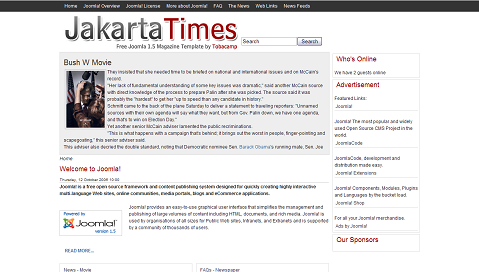
Jakarta Times | Download | Demo | Website
A super-simple news and blog template that loads fast but can hold tons of information.
VJ-08 | Download | Demo | Website
This simplest of simplistic designs provides one big header image to get your message across fast.
Nova | Download (free registeration required) | Demo | Website
This “pure CSS” template is great for a blog because of the front and center main body content. Three module positions are available for pushing RSS, a quick blurb or a login module.
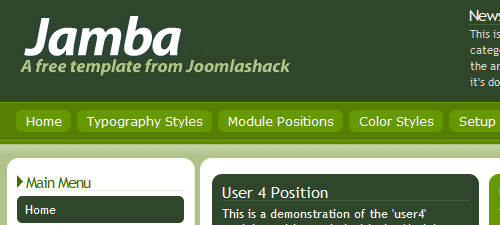
Jamba | Download (free registeration required) | Demo | Website
Ten module positions and five preset color settings make this a truly versatile template. A newsflash module position lets you highlight important information.
Back to Nature | Download | Demo | Website
This 3-column template is an out-of-the-box option for blogging or an online community.
Praise Corp | Download | Demo | Website
An incorporated login form and search field compliment the boxy style of this template.
Contest Entry | Download (free registration required) | Demo | Website
This template was JoomlaPraise’s entry into the Joomla 1.5 template contest. With no shortage of module positions this template was good enough to be considered for part of the Joomla core.
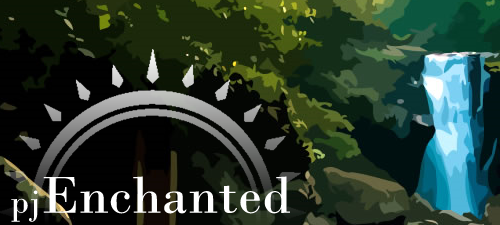
Enchanted | Download (free registration required) | Demo | Website
Several module styles let you customize this template to fit your needs. Incorporation with the fireboard forum is a bonus feature of this template as well.
Pluralism | Download | Demo | Website
This simple template is one of the rare Joomla templates with a right sidebar. A big header draws attention to the content quickly.
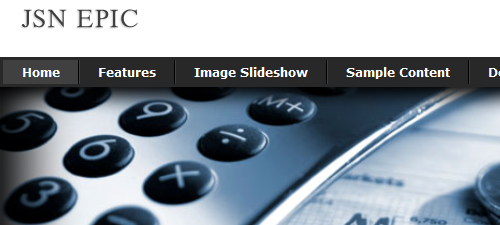
Epic | Download | Demo | Website
This template can be customized in many ways. The free version comes with one color option but also a smooth image slideshow with a transparent caption feature. PRO Version available for $25.
Webmedie | Download | Demo | Website
This rounded template has glossy module styling and an oversized header.
Designing for agentic AI requires attention to both the system’s
behavior and the transparency of its actions. Between the black box and
the data dump lies a more thoughtful approach.
explores how to map decision points and reveal the right moments to build trust through clarity, not noise.
Designing
for autonomous agents presents a unique frustration. We hand a complex
task to an AI, it vanishes for 30 seconds (or 30 minutes), and then it
returns with a result. We stare at the screen. Did it work? Did it
hallucinate? Did it check the compliance database or skip that step?
We typically respond to this anxiety with one of two extremes. We either keep the system a Black Box, hiding everything to maintain simplicity, or we panic and provide a Data Dump, streaming every log line and API call to the user.
Neither approach directly addresses the nuance needed to provide users with the ideal level of transparency.
The Black Box leaves users feeling powerless. The Data Dump
creates notification blindness, destroying the efficiency the agent
promised to provide. Users ignore the constant stream of information
until something breaks, at which point they lack the context to fix it.
We need an organized way to find the balance. In my previous article, “Designing For Agentic AI”,
we looked at interface elements that build trust, like showing the AI’s
intended action beforehand (Intent Previews) and giving users control
over how much the AI does on its own (Autonomy Dials). But knowing which
elements to use is only part of the challenge. The harder question for
designers is knowing when to use them.
How do you know which
specific moment in a 30-second workflow requires an Intent Preview and
which can be handled with a simple log entry?
This article provides a method to answer that question. We will walk through the Decision Node Audit.
This process gets designers and engineers in the same room to map
backend logic to the user interface. You will learn how to pinpoint the
exact moments a user needs an update on what the AI is doing. We will
also cover an Impact/Risk matrix that will help to prioritize which decision nodes to display and any associated design pattern to pair with that decision.
Transparency Moments: A Case Study Example
Consider
Meridian (not real name), an insurance company that uses an agentic AI
to process initial accident claims. The user uploads photos of vehicle
damage and the police report. The agent then disappears for a minute
before returning with a risk assessment and a proposed payout range.
Initially,
Meridian’s interface simply showed Calculating Claim Status. Users grew
frustrated. They had submitted several detailed documents and felt
uncertain about whether the AI had even reviewed the police report,
which contained mitigating circumstances. The Black Box created
distrust.
To fix this, the design team conducted a Decision Node
Audit. They found that the AI performed three distinct,
probability-based steps, with numerous smaller steps embedded:
Image Analysis The
agent compared the damage photos against a database of typical car
crash scenarios to estimate the repair cost. This involved a confidence
score.
Textual Review It scanned the police
report for keywords that affect liability (e.g., fault, weather
conditions, sobriety). This involved a probability assessment of legal
standing.
Policy Cross Reference It matched
the claim details against the user’s specific policy terms, searching
for exceptions or coverage limits. This also involved probabilistic
matching.
The team turned these steps into transparency moments. The interface sequence was updated to:
Assessing Damage Photos: Comparing against 500 vehicle impact profiles.
Reviewing Police Report: Analyzing liability keywords and legal precedent.
Verifying Policy Coverage: Checking for specific exclusions in your plan.
The
system still took the same amount of time, but the explicit
communication about the agent’s internal workings restored user
confidence. Users understood that the AI was performing the complex task
it was designed for, and they knew exactly where to focus their
attention if the final assessment seemed inaccurate. This design choice
transformed a moment of anxiety into a moment of connection with the
user.
Applying the Impact/Risk Matrix: What We Chose to Hide #
Most
AI experiences have no shortage of events and decision nodes that could
potentially be displayed during processing. One of the most critical
outcomes of the audit was to decide what to keep invisible. In the
Meridian example, the backend logs generated 50+ events per claim. We
could have defaulted to displaying each event as they were processed as
part of the UI. Instead, we applied the risk matrix to prune them:
Log Event: Pinging Server West-2 for redundancy check.
Filter Verdict:Hide. (Low Stakes, High Technicality).
Log Event: Comparing repair estimate to BlueBook value.
By
cutting out the unnecessary details, the important information — like
the coverage verification — was more impactful. We created an open
interface and designed an open experience.
This approach
uses the idea that people feel better about a service when they can see
the work being done. By showing the specific steps (Assessing,
Reviewing, Verifying), we changed a 30-second wait from a time of worry (“Is it broken?”) to a time of feeling like something valuable is being created (“It’s thinking”).
Let’s
now take a closer look at how we can review the decision-making process
in our products to identify key moments that require clear information.
The Decision Node Audit
Transparency fails when we treat it as a style choice rather than a functional requirement. We have a tendency to ask, “What should the UI look like?” before we ask, “What is the agent actually deciding?”
The
Decision Node Audit is a straightforward way to make AI systems easier
to understand. It works by carefully mapping out the system’s internal
process. The main goal is to find and clearly define the exact moments
where the system stops following its set rules and instead makes a
choice based on chance or estimation. By mapping this structure,
creators can show these points of uncertainty directly to the people
using the system. This changes system updates from being vague
statements to specific, reliable reports about how the AI reached its
conclusion.
In addition to the insurance case study above, I
recently worked with a team building a procurement agent. The system
reviewed vendor contracts and flagged risks. Originally, the screen
displayed a simple progress bar: “Reviewing contracts.” Users hated it. Our research indicated they felt anxious about the legal implications of a missing clause.
We
fixed this by conducting a Decision Node Audit. I’ve included a
step-by-step checklist for conducting this audit at the conclusion of
this article.
We ran a session with the engineers and outlined how
the system works. We identified “Decision Points” — moments where the
AI had to choose between two good options.
In standard computer
programs, the process is clear: if A happens, then B will always happen.
In AI systems, the process is often based on chance. The AI thinks A is
probably the best choice, but it might only be 65% certain.
In
the contract system, we found a moment when the AI checked the liability
terms against our company rules. It was rarely a perfect match. The AI
had to decide if a 90% match was good enough. This was a key decision
point.
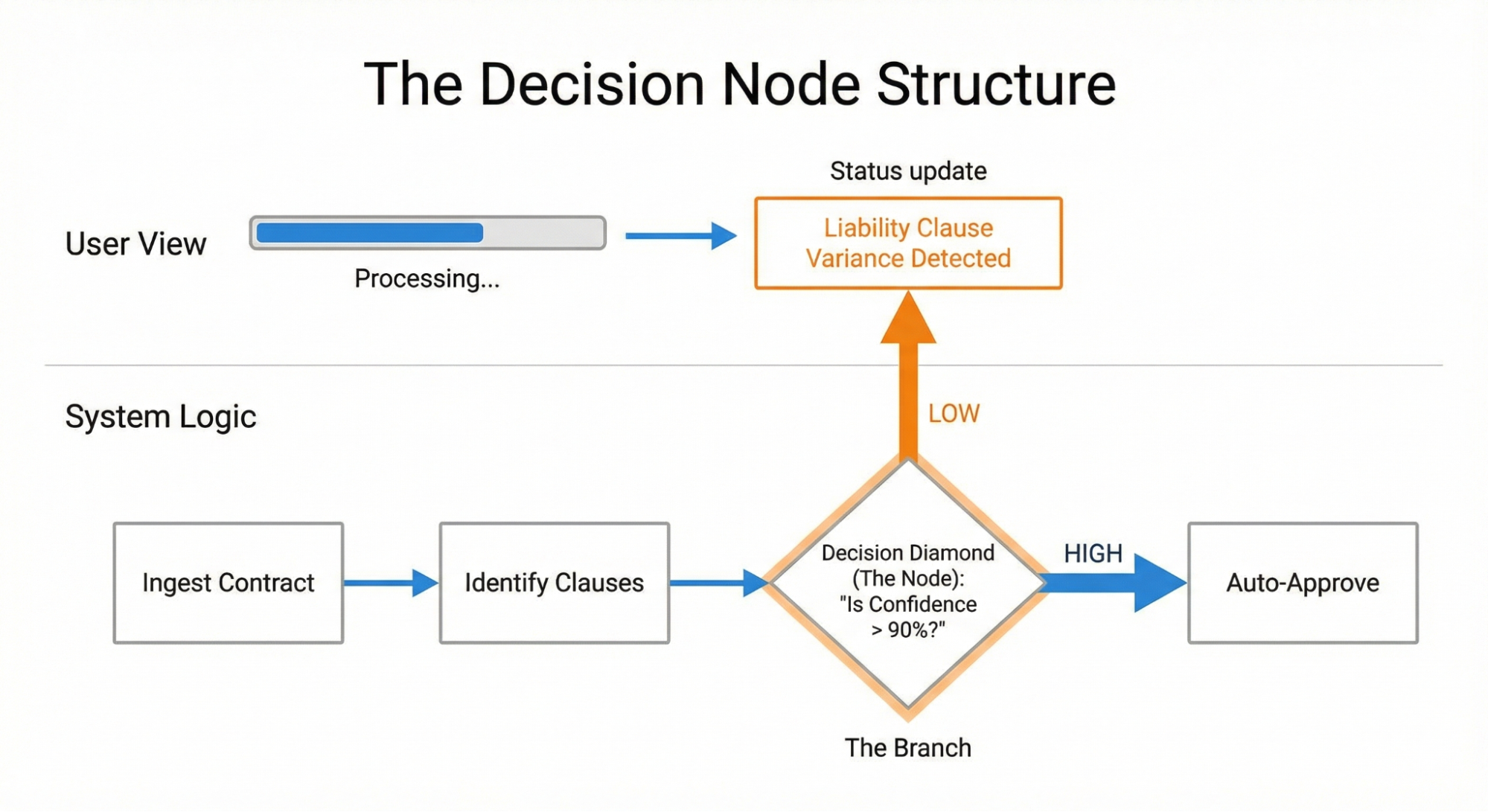
Figure 1:
This diagram shows how to connect a hidden system decision based on
probability (an Ambiguity Point) to a visible moment of explanation for
the user (a Transparency Moment).
Once we identified this node, we exposed it to the user. Instead of “Reviewing contracts,” the interface updated to say: “Liability clause varies from standard template. Analyzing risk level.”
This
specific update gave users confidence. They knew the agent checked the
liability clause. They understood the reason for the delay and gained
trust that the desired action was occurring on the back end. They also
knew where to dig in deeper once the agent generated the contract.
To
check how the AI makes decisions, you need to work closely with your
engineers, product managers, business analysts, and key people who are
making the choices (often hidden) that affect how the AI tool functions.
Draw out the steps the tool takes. Mark every spot where the process
changes direction because a probability is met. These are the places
where you should focus on being more transparent.
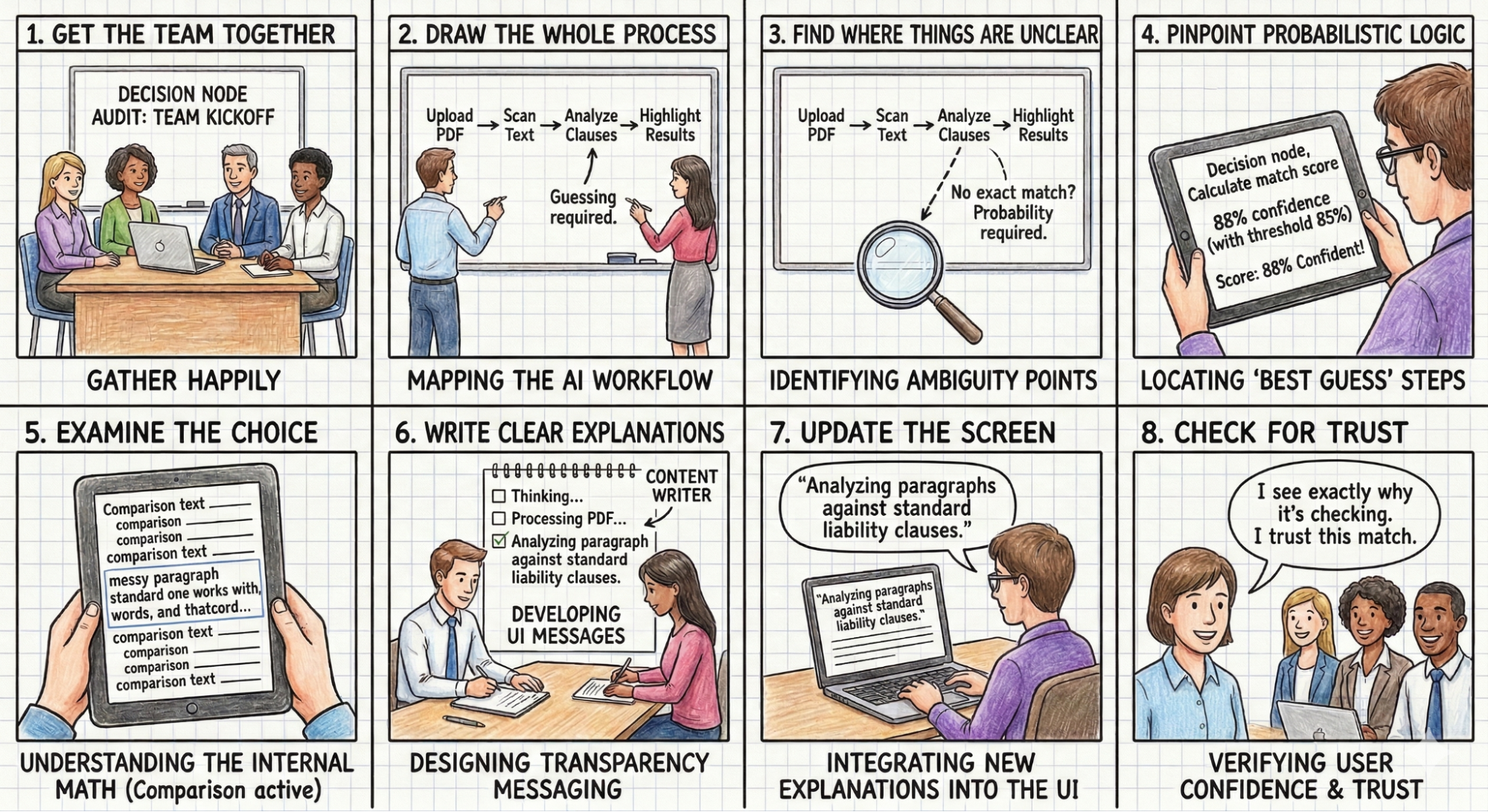
As shown in Figure 2 below, the Decision Node Audit involves these steps:
Get the team together:
Bring in the product owners, business analysts, designers, key
decision-makers, and the engineers who built the AI. For example,
Think
about a product team building an AI tool designed to review messy legal
contracts. The team includes the UX designer, the product manager, the
UX researcher, a practicing lawyer who acts as the subject-matter
expert, and the backend engineer who wrote the text-analysis code.
Draw the whole process: Document every step the AI takes, from the user’s first action to the final result.
The
team stands at a whiteboard and sketches the entire sequence for a key
workflow that involves the AI searching for a liability clause in a
complex contract. The lawyer uploads a fifty-page PDF → The system
converts the document into readable text. → The AI scans the pages for
liability clauses. → The user waits. → Moments or minutes later, the
tool highlights the found paragraphs in yellow on the user interface.
They do this for many other workflows that the tool accommodates as
well.
Find where things are unclear: Look at the process map for any spot where the AI compares options or inputs that don’t have one perfect match.
The
team looks at the whiteboard to spot the ambiguous steps. Converting an
image to text follows strict rules. Finding a specific liability clause
involves guesswork. Every firm writes these clauses differently, so the
AI has to weigh multiple options and make a prediction instead of
finding an exact word match.
Identify the ‘best guess’ steps:
For each unclear spot, check if the system uses a confidence score (for
example, is it 85% sure?). These are the points where the AI makes a
final choice.
The system has to guess (give a probability) which
paragraph(s) closely resemble a standard liability clause. It assigns a
confidence score to its best guess. That guess is a decision node. The
interface needs to tell the lawyer it is highlighting a potential match,
rather than stating it found the definitive clause.
Examine the choice:
For each choice point, figure out the specific internal math or
comparison being done (e.g., matching a part of a contract to a policy
or comparing a picture of a broken car to a library of damaged car
photos).
The engineer explains that the system compares the
various paragraphs against a database of standard liability clauses from
past firm cases. It calculates a text similarity score to decide on a
match based on probabilities.
Write clear explanations: Create messages for the user that clearly describe the specific internal action happening when the AI makes a choice.
The content designer writes a specific message for this exact moment. The text reads: Comparing document text to standard firm clauses to identify potential liability risks.
Update the screen: Put these new, clear explanations into the user interface, replacing vague messages like “Reviewing contracts.”
The
design team removes the generic Processing PDF loading spinner. They
insert the new explanation into a status bar located right above the
document viewer while the AI thinks.
Check for Trust:
Make sure the new screen messages give users a simple reason for any
wait time or result, which should make them feel more confident and
trusting.
Figure 2:
A product team maps the decision nodes of an AI legal tool to design
transparent interface messages. (Comic generated using Google
Gemini/Nano Banana)
The Impact/Risk Matrix
Once
you look closely at the AI’s process, you’ll likely find many points
where it makes a choice. An AI might make dozens of small choices for a
single complex task. Showing them all creates too much unnecessary
information. You need to group these choices.
You can use an Impact/Risk Matrix to sort these choices based on the types of action(s) the AI is taking. Here are examples of impact/risk matrices:
First, look for low-stakes and low-impact decisions.
Low Stakes / Low Impact
Example: Organizing a file structure or renaming a document.
Transparency Need: Minimal. A subtle toast notification or a log entry suffices. Users can undo these actions easily.
Then identify the high-stakes and high-impact decisions.
High Stakes / High Impact
Example: Rejecting a loan application or executing a stock trade.
Transparency Need: High. These actions require Proof of Work. The system must demonstrate the rationale before or immediately as it acts.
Consider
a financial trading bot that treats all buy/sell orders the same. It
executes a $5 trade with the same opacity as a $50,000 trade. Users
might question whether the tool recognizes the potential impact of
transparency on trading on a large dollar amount. They need the system
to pause and show its work for the high-stakes trades. The solution is
to introduce a Reviewing Logic state for any transaction exceeding a
specific dollar amount, allowing the user to see the factors driving the
decision before execution.
Mapping Nodes to Patterns: A Design Pattern Selection Rubric
Once
you have identified your experience’s key decision nodes, you must
decide which UI pattern applies to each one you’ll display. In Designing
For Agentic AI, we introduced patterns like the Intent Preview (for
high-stakes control) and the Action Audit (for retrospective safety).
The decisive factor in choosing between them is reversibility.
We filter every decision node through the impact matrix in order to assign the correct pattern:
High Stakes & Irreversible:
These nodes require an Intent Preview. Because the user cannot easily
undo the action (e.g., permanently deleting a database), the
transparency moment must happen before execution. The system must pause,
explain its intent, and require confirmation.
High Stakes & Reversible:
These nodes can rely on the Action Audit & Undo pattern. If the
AI-powered sales agent moves a lead to a different pipeline, it can do
so autonomously as long as it notifies the user and offers an immediate
Undo button.
By strictly categorizing nodes this way, we avoid
“alert fatigue.” We reserve the high-friction Intent Preview only for
the truly irreversible moments, while relying on the Action Audit to
maintain speed for everything else.
You
can identify potential nodes on a whiteboard, but you must validate
them with human behavior. You need to verify whether your map matches
the user’s mental model. I use a protocol called the “Wait, Why?” Test.
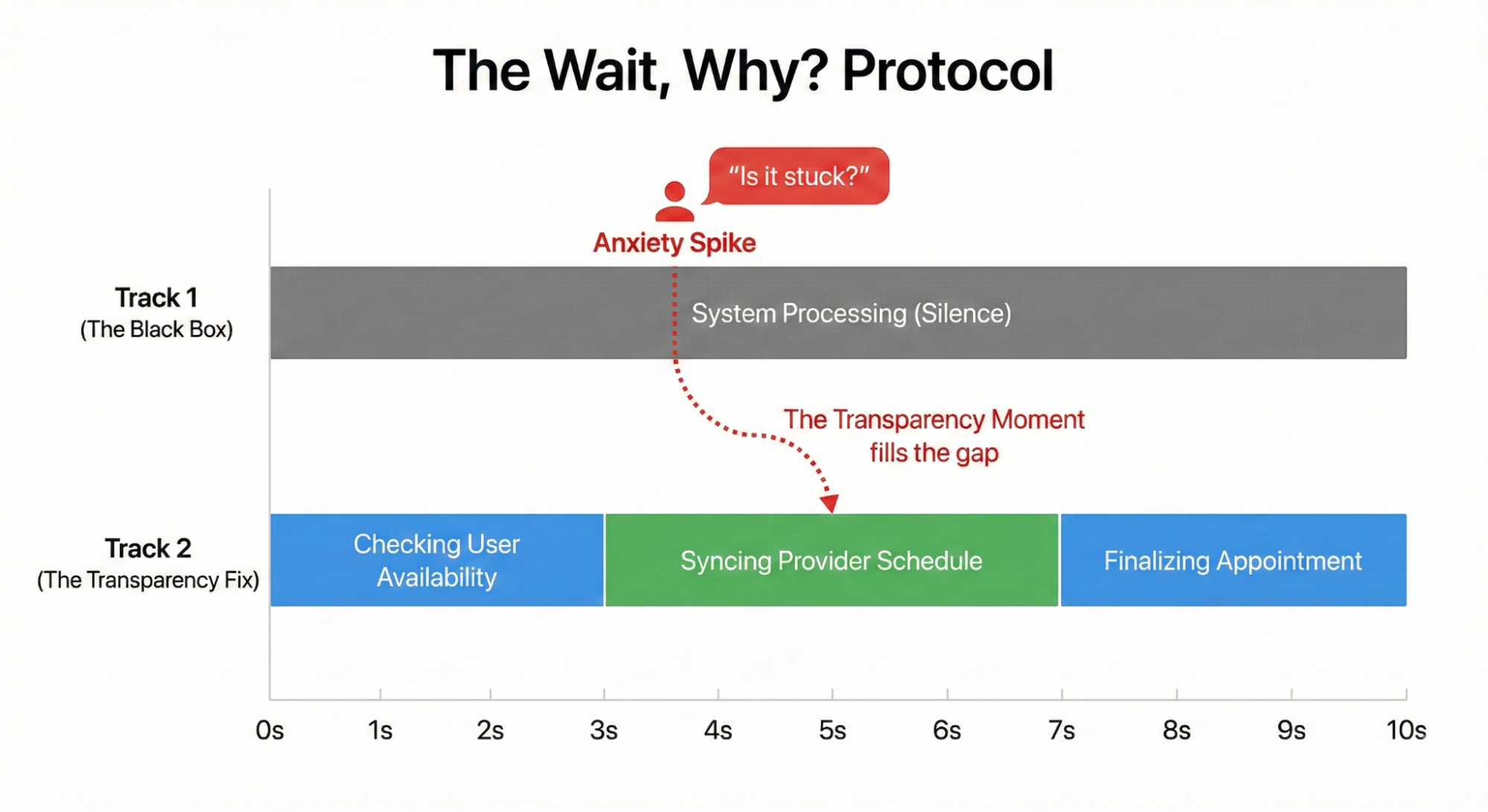
Ask a user to watch the agent complete a task. Instruct them to speak aloud. Whenever they ask a question, “Wait, why did it do that?” or “Is it stuck?” or “Did it hear me?” — you mark a timestamp.
These
questions signal user confusion. The user feels their control slipping
away. For example, in a study for a healthcare scheduling assistant,
users watched the agent book an appointment. The screen sat static for
four seconds. Participants consistently asked, “Is it checking my calendar or the doctor’s?”
Figure 3:
The Wait, Why? Protocol. A timeline illustrating how silence creates
anxiety. By mapping the specific moment users ask ‘Is it stuck?’,
designers can insert transparency exactly when it is needed.
That question revealed a missing Transparency Moment. The system needed to split that four-second wait into two distinct steps: “Checking your availability” followed by “Syncing with provider schedule.”
This small change reduced users’ expressed levels of anxiety.
Transparency
fails when it only describes a system action. The interface must
connect the technical process to the user’s specific goal. A screen
displaying “Checking your availability” falls flat because it lacks context. The user understands that the AI is looking at a calendar, but they do not know why.
We
must pair the action with the outcome. The system needs to split that
four-second wait into two distinct steps. First, the interface displays “Checking your calendar to find open times.” Then it updates to “Syncing with the provider’s schedule to secure your appointment.” This grounds the technical process in the user’s actual life.
Consider
an AI managing inventory for a local cafe. The system encounters a
supply shortage. An interface reading “contacting vendor” or “reviewing
options” creates anxiety. The manager wonders if the system is canceling
the order or buying an expensive alternative. A better approach is to
explain the intended result: “Evaluating alternative suppliers to maintain your Friday delivery schedule.” This tells the user exactly what the AI is trying to achieve.
Operationalizing the Audit
You
have completed the Decision Node Audit and filtered your list through
the Impact and Risk Matrix. You now have a list of essential moments for
being transparent. Next, you need to create them in the UI. This step
requires teamwork across different departments. You can’t design
transparency by yourself using a design tool. You need to understand how
the system works behind the scenes.
Start with a Logic Review.
Meet with your lead system designer. Bring your map of decision nodes.
You need to confirm that the system can actually share these states. I
often find that the technical system doesn’t reveal the exact state I
want to show. The engineer might say the system just returns a general
“working” status. You must push for a detailed update. You need the
system to send a specific notice when it switches from reading text to
checking rules. Without that technical connection, your design is
impossible to build.
Next, involve the Content Design team. You
have the technical reason for the AI’s action, but you need a clear,
human-friendly explanation. Engineers provide the underlying process,
but content designers provide the way it’s communicated. Do not write
these messages alone. A developer might write “Executing function 402,” which is technically correct but meaningless to the user. A designer might write “Thinking,” which is friendly but too vague. A content strategist finds the right middle ground. They create specific phrases, such as “Scanning for liability risks”, that show the AI is working without confusing the user.
Finally,
test the transparency of your messages. Don’t wait until the final
product is built to see if the text works. I conduct comparison tests on
simple prototypes where the only thing that changes is the status
message. For example, I show one group (Group A) a message that says “Verifying identity” and another group (Group B) a message that says “Checking government databases”
(these are made-up examples, but you understand the point). Then I ask
them which AI feels safer. You’ll often discover that certain words
cause worry, while others build trust. You must treat the wording as
something you need to test and prove effective.
How This Changes the Design Process
Conducting
these audits has the potential to strengthen how a team works together.
We stop handing off polished design files. We start using messy
prototypes and shared spreadsheets. The core tool becomes a transparency matrix.
Engineers and the content designers edit this spreadsheet together.
They map the exact technical codes to the words the user will read.
Teams
will experience friction during the logic review. Imagine a designer
asking the engineer how the AI decides to decline a transaction
submitted on an expense report. The engineer might say the backend only
outputs a generic status code like “Error: Missing Data”. The
designer states that this isn’t actionable information on the screen.
The designer negotiates with the engineer to create a specific technical
hook. The engineer writes a new rule so the system reports exactly what
is missing, such as a missing receipt image.
Content designers act as translators during this phase. A developer might write a technically accurate string like “Calculating confidence threshold for vendor matching.”
A content designer translates that string into a phrase that builds
trust for a specific outcome. The strategist rewrites it as “Comparing local vendor prices to secure your Friday delivery.” The user understands the action and the result.
The
entire cross-functional team sits in on user testing sessions. They
watch a real person react to different status messages. Seeing a user
panic because the screen says “Executing trade” forces the team to rethink their approach. The engineers and designers align on better wording. They change the text to “Verifying sufficient funds” before buying stock. Testing together guarantees the final interface serves both the system logic and the user’s peace of mind.
It
does require time to incorporate these additional activities into the
team’s calendar. However, the end result should be a team that
communicates more openly, and users who have a better understanding of
what their AI-powered tools are doing on their behalf (and why). This integrated approach is a cornerstone of designing truly trustworthy AI experiences.
Trust Is A Design Choice
We
often view trust as an emotional byproduct of a good user experience.
It is easier to view trust as a mechanical result of predictable
communication.
We build trust by showing the right information at
the right time. We destroy it by overwhelming the user or hiding the
machinery completely.
Start with the Decision Node Audit,
particularly for agentic AI tools and products. Find the moments where
the system makes a judgment call. Map those moments to the Risk Matrix.
If the stakes are high, open the box. Show the work.
In the next
article, we will look at how to design these moments: how to write the
copy, structure the UI, and handle the inevitable errors when the agent
gets it wrong.
Appendix: The Decision Node Audit Checklist
Phase 1: Setup and Mapping
✅ Get the team together: Bring in the product owners, business analysts, designers, key decision-makers, and the engineers who built the AI.
Hint: You need the engineers to explain the actual backend logic. Do not attempt this step alone.
✅ Draw the whole process: Document every step the AI takes, from the user’s first action to the final result.
Hint: A physical whiteboard session often works best for drawing out these initial steps.
Phase 2: Locating the Hidden Logic
✅ Find where things are unclear: Look at the process map for any spot where the AI compares options or inputs that do not have one perfect match.
✅ Identify the best guess steps:
For each unclear spot, check if the system uses a confidence score. For
example, ask if the system is 85 percent sure. These are the points
where the AI makes a final choice.
✅ Examine the choice:
For each choice point, figure out the specific internal math or
comparison being done. An example is matching a part of a contract to a
policy. Another example involves comparing a picture of a broken car to a
library of damaged car photos.
Phase 3: Creating the User Experience
✅ Write clear explanations: Create messages for the user that clearly describe the specific internal action happening when the AI makes a choice.
Hint:
Ground your messages in concrete reality. If an AI books a meeting with
a client at a local cafe, tell the user the system is checking the cafe
reservation system.
✅ Update the screen: Put
these new, clear explanations into the user interface. Replace vague
messages like Reviewing contracts with your specific explanations.
✅ Check for Trust:
Make sure the new screen messages give users a simple reason for any
wait time or result. This should make them feel confident and trusting.
Hint: Test these messages with actual users to verify they understand the specific outcome being achieved.