Gradually, every system tends to slow down by means of performance after it’s loaded with more content and extensions and numerous logs gets generated for it. If you want to keep an eye on what’s slowing down your Magento 2 store’s performance, you need to enable Magento 2 profiler.
Magento 2 has an in-built profiler which is used to identify performance problems on the server side. The profiler allows you to see the execution time of certain files. Identifying which files is slowing down the performance speed can help optimize the store.
There are 3 types of profilers supported: HTML, CSV file, and Firebug.
Analyze the performance tasks, display dependency graphs on a Magento page, reveal unused dependencies to reduce the memory time, etc. Everything with the method given here to enable Magento 2 profiler.
How to Enable Magento 2 Profiler:
1. profiler in Magento 2 by adding SetEnv MAGE_PROFILER “html” to .htaccess.
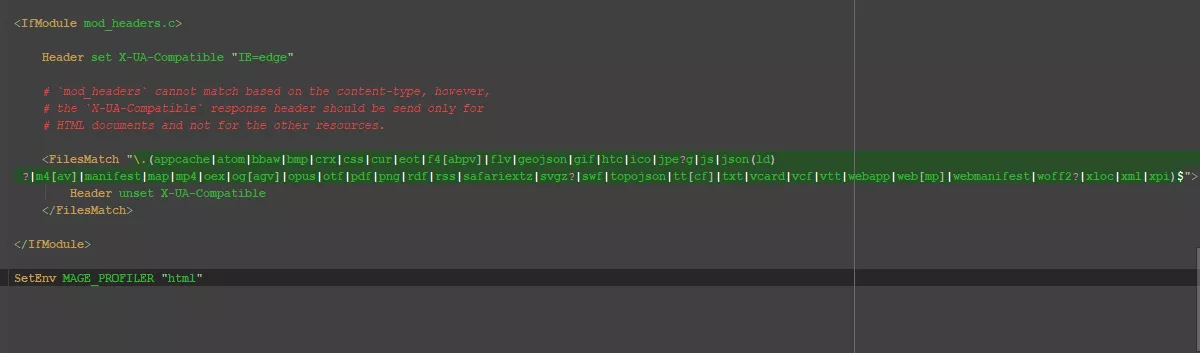
Here, ‘html’ is for HTML output. You can modify to ‘csvfile’ for CSV output or ‘firebug’ for Firebug output.
2. Enable the developer mode using the below command:
bin/magento deploy:mode:set developer3. Finally, compile and refresh the cache.
Following the above method, you can find the reason behind the poor Magento 2 store performance. Hunt down the problem causes by enabling Magento 2 profiler.
Easy, isn’t it?


No comments:
Post a Comment