Product drops and sales are a great way to increase revenue, but these events can result in traffic spikes that affect a site’s availability and performance. To prevent website crashes, you’ll have to make sure that the sites you design can handle large numbers of server requests at once. Let’s discuss how!
Product launches and sales typically attract large volumes of traffic. Too many concurrent server requests can lead to website crashes if you’re not equipped to deal with them. This can result in a loss of revenue and reputation damage.
The good news is that you can maximize availability and prevent website crashes by designing websites specifically for these events. For example, you can switch to a scalable cloud-based web host, or compress/optimize images to save bandwidth.
In this article, we’ll discuss six ways to design websites for high-traffic events like product drops and sales:
How To Design For High-Traffic Events
Let’s take a look at six ways to design websites for high-traffic events, without worrying about website crashes and other performance-related issues.
1. Compress And Optimize Images
One of the simplest ways to design a website that accommodates large volumes of traffic is to optimize and compress images. Typically, images have very large file sizes, which means they take longer for browsers to parse and display. Additionally, they can be a huge drain on bandwidth and lead to slow loading times.
You can free up space and reduce the load on your server by compressing and optimizing images. It’s a good idea to resize images to make them physically smaller. You can often do this using built-in apps on your operating system.
There are also online optimization tools available like Tinify, as well as advanced image editing software like Photoshop or GIMP:

Image format is also a key consideration. Many designers rely on JPG and PNG, but adaptive modern image formats like WebP can reduce the weight of the image and provide a better user experience (UX).
You may even consider installing an image optimization plugin or an image CDN to compress and scale images automatically. Additionally, you can implement lazy loading, which prioritizes the loading of images above the fold and delays those that aren’t immediately visible.
2. Choose A Scalable Web Host
The most convenient way to design a high-traffic website without worrying about website crashes is to upgrade your web hosting solution.
Traditionally, when you sign up for a web hosting plan, you’re allocated a pre-defined number of resources. This can negatively impact your website performance, particularly if you use a shared hosting service.
Upgrading your web host ensures that you have adequate resources to serve visitors flocking to your site during high-traffic events. If you’re not prepared for this eventuality, your website may crash, or your host may automatically upgrade you to a higher-priced plan.
Therefore, the best solution is to switch to a scalable web host like Cloudways Autonomous:
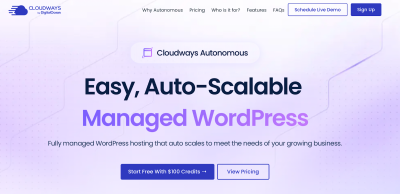
This is a fully managed WordPress hosting service that automatically adjusts your web resources based on demand. This means that you’re able to handle sudden traffic surges without the hassle of resource monitoring and without compromising on speed.
With Cloudways Autonomous your website is hosted on multiple servers instead of just one. It uses Kubernetes with advanced load balancing to distribute traffic among these servers. Kubernetes is capable of spinning up additional pods (think of pods as servers) based on demand, so there’s no chance of overwhelming a single server with too many requests.
High-traffic events like sales can also make your site a prime target for hackers. This is because, in high-stress situations, many sites enter a state of greater vulnerability and instability. But with Cloudways Autonomous, you’ll benefit from DDoS mitigation and a web application firewall to improve website security.
3. Use A CDN
As you’d expect, large volumes of traffic can significantly impact the security and stability of your site’s network. This can result in website crashes unless you take the proper precautions when designing sites for these events.
A content delivery network (CDN) is an excellent solution to the problem. You’ll get access to a collection of strategically-located servers, scattered all over the world. This means that you can reduce latency and speed up your content delivery times, regardless of where your customers are based.
When a user makes a request for a website, they’ll receive content from a server that’s physically closest to their location. Plus, having extra servers to distribute traffic can prevent a single server from crashing under high-pressure conditions. Cloudflare is one of the most robust CDNs available, and luckily, you’ll get access to it when you use Cloudways Autonomous.
You can also find optimization plugins or caching solutions that give you access to a CDN. Some tools like Jetpack include a dedicated image CDN, which is built to accommodate and auto-optimize visual assets.
4. Leverage Caching
When a user requests a website, it can take a long time to load all the HTML, CSS, and JavaScript contained within it. Caching can help your website combat this issue.
A cache functions as a temporary storage location that keeps copies of your web pages on hand (once they’ve been requested). This means that every subsequent request will be served from the cache, enabling users to access content much faster.
The cache mainly deals with static content like HTML which is much quicker to parse compared to dynamic content like JavaScript. However, you can find caching technologies that accommodate both types of content.
There are different caching mechanisms to consider when designing for high-traffic events. For example, edge caching is generally used to cache static assets like images, videos, or web pages. Meanwhile, database caching enables you to optimize server requests.
If you’re expecting fewer simultaneous sessions (which isn’t likely in this scenario), server-side caching can be a good option. You could even implement browser caching, which affects static assets based on your HTTP headers.
There are plenty of caching plugins available if you want to add this functionality to your site, but some web hosts provide built-in solutions. For example, Cloudways Autonomous uses Cloudflare’s edge cache and integrated object cache.
5. Stress Test Websites
One of the best ways to design websites while preparing for peak traffic is to carry out comprehensive stress tests.
This enables you to find out how your website performs in various conditions. For instance, you can simulate high-traffic events and discover the upper limits of your server’s capabilities. This helps you avoid resource drainage and prevent website crashes.
You might have experience with speed testing tools like Pingdom, which assess your website performance. But these tools don’t help you understand how performance may be impacted by high volumes of traffic.
Therefore, you’ll need to use a dedicated stress test tool like Loader.io:
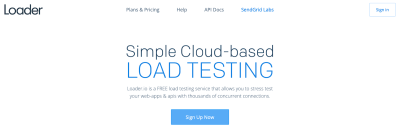
This is completely free to use, but you’ll need to register for an account and verify your website domain. You can then download your preferred file and upload it to your server via FTP.
After that, you’ll find three different tests to carry out. Once your test is complete, you can take a look at the average response time and maximum response time, and see how this is affected by a higher number of clients.
6. Refine The Backend
The final way to design websites for high-traffic events is to refine the WordPress back end.
The admin panel is where you install plugins, activate themes, and add content. The more of these features that you have on your site, the slower your pages will load.
Therefore, it’s a good idea to delete any old pages, posts, and images that are no longer needed. If you have access to your database, you can even go in and remove any archived materials.
On top of this, it’s best to remove plugins that aren’t essential for your website to function. Again, with database access, you can get in there and delete any tables that sometimes get left behind when you uninstall plugins via the WordPress dashboard.
When it comes to themes, you’ll want to opt for a simple layout with a minimalist design. Themes that come with lots of built-in widgets or rely on third-party plugins will likely add bloat to your loading times. Essentially, the lighter your back end, the quicker it will load.
Conclusion
Product drops and sales are a great way to increase revenue, but these events can result in traffic spikes that affect a site’s availability and performance. To prevent website crashes, you’ll have to make sure that the sites you design can handle large numbers of server requests at once.
The easiest way to support fluctuating traffic volumes is to upgrade to a scalable web hosting service like Cloudways Autonomous. This way, you can adjust your server resources automatically, based on demand. Plus, you’ll get access to a CDN, caching, and an SSL certificate. Get started today!

